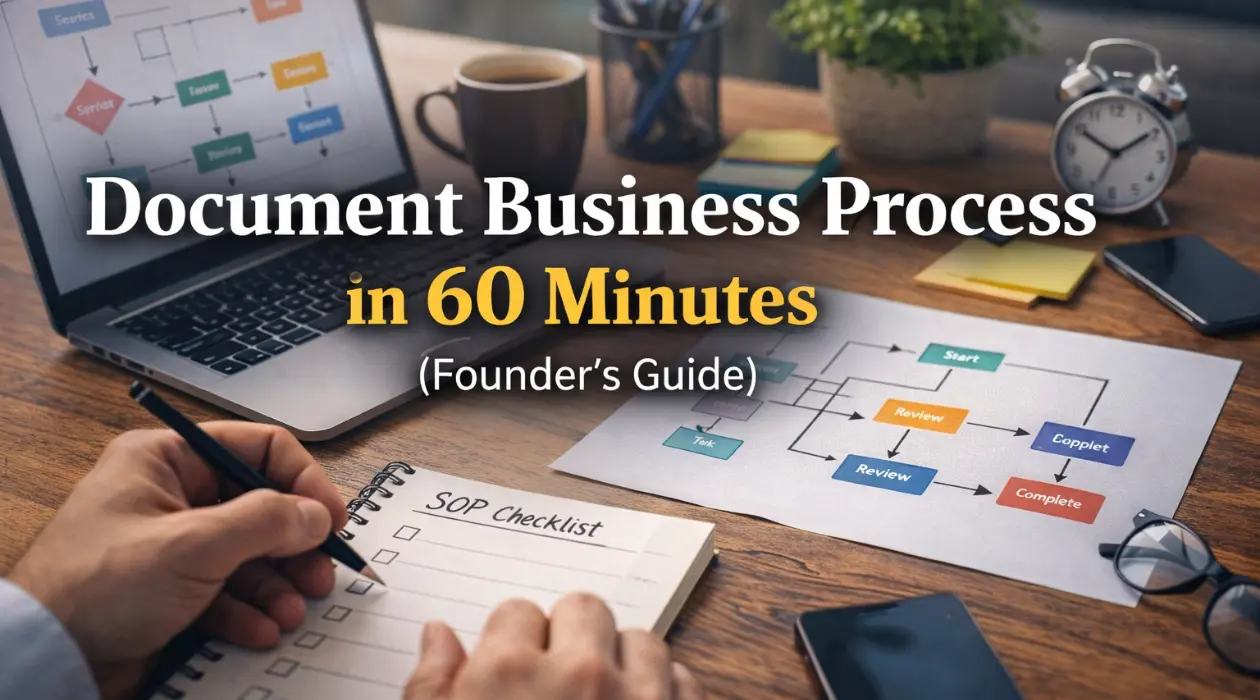
How to Document Your First Business Process in 60 Minutes
Most founders know they should document business process steps. It is the advice every consultant gives and every business book preaches. Yet, despite knowing it is essential, most founders simply never do it.
The idea of sitting down to document business process workflows feels overwhelmingly heavy. Founders imagine they need to create massive instruction manuals, complex business process mapping diagrams, and flawless flowcharts before the work is usable. They look at their to-do list, see “create SOPs,” and immediately push it to next week. And then next month. So, instead of starting, they keep everything stored safely, and dangerously, in their own heads.
That delay costs time, money, and sanity. It creates a bottleneck where you, the founder, become the only person capable of solving problems or executing tasks correctly.
Here’s the truth: you can document business process activities in 60 minutes and immediately make your business easier to run. You do not need perfection, and you certainly don’t need a degree in operations management. You need clarity.
This guide is designed to show you exactly how to document your first business process, even if you have never written a standard operating procedure in your life. We are going to move past the theory and get into the practical application of how to get this done fast.
What Does It Mean to Document a Business Process?
To document business process work means writing down, in a repeatable and usable way, exactly how value is created in your company. It is the act of taking the “tribal knowledge” that lives in your brain and translating it into an external asset.
When we talk about documenting business processes for small business, we aren’t talking about creating bureaucratic red tape. We are talking about defining:
- What happens: The specific actions required.
- In what order: The sequence that prevents errors.
- Who is responsible: The role (not the person) who owns the outcome.
- What tools are used: The software, process documentation template, or login details required.
- What “done” means: The definition of a successful outcome.
When you document business process workflows correctly, you are essentially building the operating system of your company. You create consistency, enabling delegation and faster onboarding. You reduce mistakes because the instructions are clear. Most importantly, you reduce founder dependency.
This is why documenting processes for the first time is one of the highest-ROI activities a founder can do. You are not just writing a document; you are buying back your future time.
Why Founders Avoid Documenting Processes (and Why That’s Risky)
Most founders do not avoid the effort to document business process steps because they are lazy. They avoid it because they are perfectionists or pragmatists who believe three common myths:
- “I don’t have time.” You are too busy doing the work to write down how to do the work.
- “I don’t know how to document procedures.” You feel like you lack the formal training to create “official” documentation.
- “The process will change anyway.” You worry that by the time you document business process steps, the software will update, or the strategy will pivot.
These feelings are valid, but they lead to silent operational risk. If you do not document business process activities:
- Single Point of Failure: Only one person knows how the work gets done. If they get sick or leave, the capability leaves with them.
- Inconsistent Quality: Quality depends on who is having a good day, not on a standard of excellence.
- Scaling Chaos: Adding more clients or customers multiplies the chaos rather than increasing the revenue.
Documenting business processes for small business is not optional once you start growing. It is the foundation of sustainable operations. Without it, you are just a freelancer with helpers, not a business owner with a team.
Which Business Process Should You Document First?
If you are documenting processes for the first time, the worst thing you can do is try to document everything at once. Do not try to map out your entire customer journey or your full HR hiring strategy.
Start with one single document business process project.
Your first attempt should meet specific criteria to ensure you get a quick win. Choose a process that:
- Happens often: Daily or weekly tasks give you immediate feedback on whether the doc works.
- Breaks when done wrong: High-stakes tasks motivate you to get the details right.
- Someone else could do: If you document business process steps for a task only you can perform (like high-level strategy), you cannot delegate it.
- Has a clear start and end: Avoid ongoing projects; stick to linear tasks.
Good First Processes to Document
- Client Onboarding: Setting up folders, sending the contract, sending the welcome email.
- Invoicing and Collections: Creating the invoice, sending it, and following up on late payments.
- Content Publishing: Taking a blog post from a draft to a live page on WordPress.
- Quality Review: Checking a deliverable before it goes to a client.
These are ideal for documenting workflows step by step because they are repeatable and follow a logical rhythm.
The 60-Minute Framework to Document Business Process Work
This is a process documentation in 60 minutes framework designed specifically for founders who hate writing manuals. It is a quick process documentation method that prioritizes utility over beauty.
Grab a timer, open a blank document, and let’s build your first asset.
Step 1: Name the Process and Define Boundaries (5 Minutes)
Every time you document business process workflows, you must define the “container” for the work. If the container is too loose, the process becomes a confusing mess of unrelated tasks.
Process Name: Be specific. This matters for business process documentation template clarity.
- ❌ Bad Name: “Client Stuff”
- ✅ Good Name: “Client Onboarding: Contract to Kickoff”
Start Point: What is the “trigger”? When does this process strictly begin?
- Example: “When the signed contract notification arrives in the inbox.”
End Point: When is it considered 100% complete?
- Example: “When the client receives the calendar invite for the kickoff call.”
Owner: Who is accountable for the process running smoothly? Use roles, not names.
- Example: “Operations Manager” (not “Sarah”).
This simple framing aligns with process documentation best practices and prevents scope creep later. It tells your team exactly what they are looking at and where their responsibility begins and ends.
Step 2: Brain-Dump All Major Steps (15 Minutes)
This is where documenting workflows step by step begins. Do not worry about formatting, grammar, or making it look pretty.
Write down everything that happens. If you are a visual person, you might be tempted to jump into business process mapping software, but for your first time, stick to bullet points. It is faster.
Ask yourself: “If I disappeared tomorrow, what would someone need to know to complete this?”
Walk through the process mentally.
- Open email.
- Save PDF contract to “Client” folder in Drive.
- Open QuickBooks.
- Create new customer.
- …and so on.
This step is critical for documenting business processes for small business because founders often skip “obvious” steps. You might think, “Everyone knows how to log into the portal.” No, they don’t. Write it down. This is the heart of how to document your first business process without overthinking it.
Step 3: Add Order, Ownership, and Tools (20 Minutes)
Now, we refine your brain dump. We are going to turn that messy list into a structured workflow documentation guide.
For each step you listed, add three specific details:
- Who does it? (If multiple roles are involved).
- When does it happen? (Is it immediate? 24 hours later?).
- What tool or template is used? (Link to the specific software or file).
This is where standard operating procedure creation begins to take shape. You are adding context.
- Draft: “Send the welcome email.”
- Refined: “Admin Assistant sends the ‘New Client Welcome’ email template from Gmail within 24 hours of the contract signing. Link to template: [Insert Link].”
You are not writing a novel. You are creating clarity. This structure aligns with process documentation template standards by ensuring that a stranger could pick up the instructions and find the tools they need.
Step 4: Capture Exceptions (10 Minutes)
No process runs perfectly 100% of the time. If you only document business process steps for the “happy path” (when everything goes right), your team will get stuck the moment something goes wrong.
To document business process reality, you must include a section for “Troubleshooting” or “Common Exceptions.”
- What if the payment fails?
- What if the client doesn’t send their logo?
- What if the software is down?
This step is often skipped by founders documenting processes for the first time, but it is what turns documentation into something people actually trust. If your SOP accounts for the messiness of real life, your team will rely on it.
Step 5: Test the Process (10 Minutes)
A document business process effort is only useful if someone else can follow it. You cannot be the author and the tester.
Give the document to:
- A team member who doesn’t do this task.
- A contractor.
- Or even your spouse or a friend if it doesn’t contain sensitive data.
Ask them to follow the instructions blindly. Every time they ask a question (“Where is the login for this?” or “Which folder do I use?”), you have found a gap.
Fix the gaps immediately. That is how to create process documentation quickly that actually works. If you skip testing, you are just creating shelfware, documents that sit on a digital shelf and gather dust.
Your Simple Process Documentation Guide (Template)
You do not need to buy expensive software to start. This is a business process documentation template free version you can copy and paste into Google Docs or Word right now.
PROCESS NAME: [Clear, Action-Oriented Title]
START: [Trigger Event]
END: [Definition of Done]
OWNER: [Job Title]
FREQUENCY: [Daily/Weekly/Monthly]
STEPS:
- [Step Name]
- Who: [Role]
- Tool: [Software/Link]
- Details: [The specific instruction]
- Video: [Optional: Loom link]
- [Step Name]
- Who: [Role]
- Tool: [Software/Link]
- Details: [The specific instruction]
COMMON EXCEPTIONS:
- Scenario: [What went wrong?]
- Response: [How to fix it]
LAST UPDATED: [Date]
This structure supports how to write standard operating procedures fast. It covers the essentials without fluff. It also supports business process mapping at a practical level because it forces a linear flow.
Process Documentation Best Practices
As you begin to document business process workflows more frequently, keep these process documentation best practices in mind to ensure your library remains useful.
1. Use “Global” Elements
Do not hard-code passwords into your document business process files. Instead, use a password manager (like LastPass or 1Password) and reference the entry. If you change a password, you don’t want to have to update 50 different documents.
2. Visuals Win
A picture is worth a thousand words. When you document business process steps involving software, take screenshots. Use arrows to point to buttons. Even better, record a 2-minute video of yourself doing the task and link it at the top of the document. This is a key part of a simple process documentation guide.
3. Keep It Live
A static PDF is a dead document. Use a live platform like Google Docs, Notion, or a dedicated knowledge base. When you document business process work, you need the ability to edit it instantly when the process changes.
4. Focus on the “Why”
Briefly explain why a step matters. “Check the box to ‘Enable Tracking'” is an instruction. “Check the box to ‘Enable Tracking’ so the client gets their receipt” is motivation. It helps your team understand the impact of their work.
Common Mistakes When You Document Business Process Work
Even with a quick process documentation method, it is easy to fall into traps. Here are the four most common mistakes founders make.
Mistake 1: Trying to Be Perfect
Your first version should be useful, not beautiful. If you spend three hours formatting the fonts, you have failed the 60-minute challenge. The goal to document business process steps is utility. Get the information down. You can prettify it later.
Mistake 2: Over-Documenting
This is not legal documentation. It is a workflow documentation guide for real humans. Do not write, “The operator shall proceed to the interface.” Write, “Click the blue button.” Keep it conversational and direct. Have you heard the term “Explain it to me like I was a 5 year old?” This is how your documentation should read.
Mistake 3: Using Names Instead of Roles
“Send the file to Mike.” What happens when Mike quits? Now your documentation is broken. Always use roles: “Send the file to the Account Manager.” This ensures your standard operating procedure creation efforts scale as your team changes.
Mistake 4: Never Using the Document
If you document business process workflows but then tell your team, “Just ask me if you have questions,” you have wasted your time. You must build a culture where the documentation is the source of truth. If someone asks a question that is answered in the doc, gently direct them back to the doc. If they ask a question that isn’t in the doc, answer it, and then update the doc immediately.
What Happens After You Document One Business Process?
Once founders document business process workflows for the first time using this 60-minute method, three things usually happen:
- They realize it wasn’t hard. The fear of the task was bigger than the task itself.
- They immediately see inefficiencies. As you write down the steps, you will catch yourself saying, “Why do we do it that way? That’s stupid.” The act of business process mapping, even in text form, exposes wasted effort.
- They want to document more. Clarity is addictive. Once you see a process run smoothly without your involvement, you will want that feeling for every part of your business.
This is the compound effect of documenting business processes for small business. One document saves you 10 minutes a week. Ten documents save you two hours a week. Fifty documents save you an entire hiring role.
How to Scale Your Documentation
You have successfully used the process documentation in 60 minutes method for one task. Now, how do you tackle the rest of the company?
You do not have to do it alone. In fact, you shouldn’t.
As you grow, the responsibility to document business process changes shifts from the founder to the team. You can assign “SOP Sprints” where each team member is responsible for documenting workflows step by step for the tasks they own.
Your role changes from “Writer” to “Editor.” You review their work to ensure it meets the process documentation template standards, but you are no longer the bottleneck.
How Clarity Ops Engine Helps (Without Doing Everything For You)
At Clarity Ops Engine, we understand the struggle. We know that while you can document business process work yourself, figuring out what to document and how to organize it is a strategic challenge.
Our role is not to simply write every SOP for you. That creates a dependency on us, which is the opposite of what we want. We will assist, especially for processes we build out ourselves. Our role is to:
- Identify which processes matter most: We help you prioritize the high-impact areas that are causing bottlenecks.
- Design the business process mapping strategy: We visualize the flow of value through your company.
- Create the process documentation framework: We set up the structure so your team can fill in the blanks easily.
- Define ownership, sequencing, and system alignment: We ensure the right people are doing the right things at the right time.
- Ensure documentation supports growth, not busywork: We guard against creating SOPs for things that don’t matter.
We help you document business process priorities that align with revenue, capacity, and scale. We act as the architect; you and your team are the builders.
What We Don’t Do (By Design)
We are a strategic partner, a Fractional COO service. We are not a Virtual Assistant task force. Execution, the actual clicking of buttons and running of the processes we map, can be:
- Outsourced to Your Remote Office Space (YROS).
- Handled by your internal team.
- Implemented by trained operators.
This keeps Clarity Ops Engine focused on strategy, systems, and operational clarity, ensuring that when you document business process activities, you are building a legacy, not just a list.
One Process Changes Everything
You do not need a library of documentation to start seeing results. You do not need a wiki with 500 pages.
You need one clear, usable document business process asset to start.
That first process creates momentum. It proves to you and your team that order is possible. It proves that you don’t have to carry the mental load for everything.
Momentum creates systems. Systems create freedom.
Set a timer. Pick one process. Document business process clarity in 60 minutes.
That’s how real operations are built.
Ready to document your core processes the right way?
We’ll identify your top processes, map them properly, and help you build documentation that actually scales.
Related Blogs
- Founder Opportunity Cost: The Hidden $10K Monthly Loss
- The Cost of Disorganization: 7 Expensive Ways Chaos Hurts Your Business
- Why Your Business Feels Fragile (And How to Fix the Single Point of Failure Problem)
- Which Business Processes You Should Document First (And Which to Ignore)
- The 5 Core Business Processes Every Founder Should Document Before Hiring
- Extracting Founder Tribal Knowledge: 5 Steps to Scale
- Standard Operating Procedures That Actually Get Used (Not Ignored)
- Why Most SOPs Fail (And How to Write Ones Your Team Will Follow)
- Process Documentation vs. Process Optimization: What Comes First?
- How to Delegate Without Losing Control of Quality
- From Founder Bottleneck to Scalable Team: The Systems Shift Most Owners Miss
- When Spreadsheets Stop Working: Signs You’ve Outgrown Ad Hoc Processes
- What a Fractional COO Actually Fixes (And What They Should Never Touch)
- Business Systems vs. Tools: Why Software Doesn’t Fix Broken Processes
- Operational Clarity: The Missing Link Between Revenue and Scale
- Process Documentation for Service Businesses: Where Founders Get Stuck
- Documenting Processes in a Small Team Without Slowing Everyone Down
- Why Creative and Technical Founders Struggle Most With SOPs