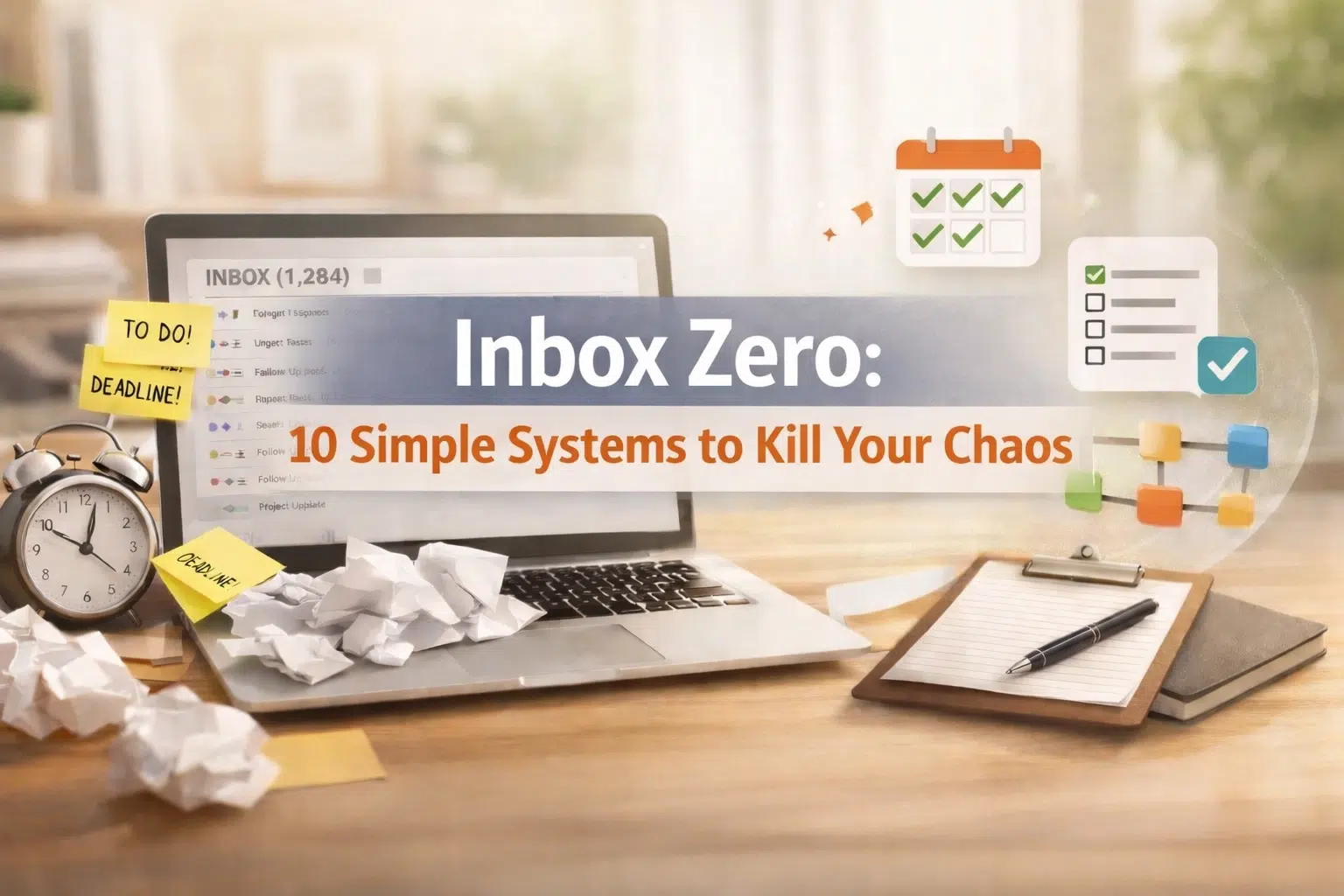
You start the day swearing you will hit inbox zero, but by 10:30 you are buried in follow ups, screenshots, forwarded threads, and you cannot remember which email was the actual decision.
Let me be direct: your email inbox is not a project management tool. It never was. And chasing inbox zero without a real project management tool is how small business owners stay stuck in operational chaos.
Here is the promise and timeline up front: in 30 days, you can be functionally at inbox zero most days without living in your email, as long as you stop using your inbox as your operating system and start using a project management tool as the record.
I have seen this pattern dozens of times. You try rules, labels, color coding, folder systems, and a new “I will be disciplined” mindset. You might even hit zero on Monday. Then the week happens.
Clients email scope changes. A team member asks “quick question.” A vendor delays delivery. Everything becomes a thread.
You are back to 63 unread messages and three projects that are “in progress” only in your head.
Here is what nobody tells you: inbox zero is not a habit problem. It is an operating system problem.

Now let us follow the structure that actually fixes this.
1) Identify the Email Chaos Problem
Email chaos is not just “too many messages.” It is what happens when you treat email like a project management tool, and it cannot do the job.
What “Email Chaos” actually looks like
You might recognize yourself in a few of these.
- You hit zero and still feel behind.
- You search your inbox 12 times a day for “that one thread.”
- You forward a chain to your team with “see below” and hope they understand context.
- You use your inbox as a to do list.
- Your team asks for status updates because they cannot see the work.
- You lose decisions because they lived in someone’s reply, not a system.
- You have projects that are “moving” only because you keep nudging by email.
The reality: email is great at delivering messages. It is terrible at managing work.
Why email cannot be a project management tool
A real project management tool does a few things email cannot.
- It assigns ownership clearly.
- It holds deadlines in a visible place.
- It shows status in plain language.
- It captures decisions in context.
- It allows handoffs without a 17 message chain.
- It creates a single source of truth.
Email does none of that. Email does chronology. It shows you what arrived last.
Pattern: when email is your project management tool, the most recent message becomes your priority, not the most important work.
The hidden cost of chasing inbox zero
Let us talk numbers, because this is where it gets real.
- Time: most owners I work with spend 2 to 4 hours/day in email when email is acting like a project management tool. That is 10 to 20 hours/week.
- Context switching: every time you jump from a thread to a decision to a doc and back, you burn focus.
- Delays: projects get stuck because nobody is sure what “done” means.
- Rework: your team builds the wrong thing because the latest email was not the full picture.
- Team morale: people get blamed for missing something that was buried in a thread.
The math: if your loaded time value is $150/hour (very normal for an owner at $400K to $1.5M revenue), and you spend 12 hours/week in email operations, that is $1,800/week or $7,200/month of owner time being burned. And that does not count the cost of delays.
I have also seen the direct cash waste that comes with email chaos. One client was paying for three overlapping software subscriptions and two different answering services because nobody owned the vendor list.
We found $3,800/month in wasted spend in the first week. Email threads hid the renewals and the decisions.
Common findings when email becomes your project management tool
This is what I usually discover during an ops assessment.
- There is no consistent intake process for requests.
- There is no definition of “urgent” that the team agrees on.
- Work is tracked in personal inboxes, not a shared project management tool.
- Your team is scared to close loops because they do not want to be wrong.
- You are the router for everything because nobody else sees the full picture.
Goal: get decisions and work out of your inbox so zero becomes a byproduct, not a life goal.
Red flags that email chaos is hurting revenue
Email chaos is not just annoying. It is expensive.
- Proposals go out late because the details are scattered.
- Client onboarding is inconsistent because it is run through email.
- You discount to apologize for delays.
- You lose referrals because delivery feels messy.
- Your best team member is doing detective work instead of their actual job.
If any of that is true, you do not need more discipline. You need a system.
2) Explain the Project Management Operational System Solution
The fix is not “manage your inbox better.” The fix is: use a project management tool as your operational system and use email as communication only.

The simple operating principle
Your inbox is the doorway. Your project management tool is the house.
Email is where requests arrive. Your project management tool is where work lives.
That one distinction is what makes zero possible without you white knuckling it.
What it looks like when a project management tool runs your ops
Here is the before and after.
Before:
- Work lives in threads.
- You are the human status board.
- Deadlines are memory-based.
- “Did we do that?” requires searching email.
- You feel like you must keep checking email to keep the business moving.
After:
- Every deliverable has an owner in the project management tool.
- Every deadline is visible, with reminders inside the project management tool.
- Status is readable at a glance.
- Decisions are documented in the task, not in the thread.
- You can hit inbox zero because the work is not trapped there.
The 10 simple systems to kill email chaos
These are intentionally simple. You do not need a fancy tech stack. You need consistent rules and a project management tool that your team actually uses.
System 1: One intake lane for requests
If requests come in through email, DMs, texts, Slack, and hallway conversations, you will never keep up.
- Choose one intake method for internal requests.
- Choose one intake method for client requests.
- Route both into the project management tool.
Common mistake: leaving “just this once” exceptions. That is how chaos returns.
Goal: one place to look for new work so zero is achievable.
System 2: The “Email to Task” rule
Every email that requires more than a 2 minute response becomes a task in the project management tool.
- Forward it to your task capture address, or
- Create a task manually with the key details, then
- Reply in email with the next step, and close the loop.
Important: you do not copy the entire thread. You summarize the decision in plain English.
Reality check: you will feel slower for the first 5 to 7 days. That is normal. Then you speed up because you stop re-reading threads.
System 3: Clear owners, not CC lists
CC is not ownership. A task needs a named owner in the project management tool.
- Owner: the person responsible for moving it forward.
- Collaborators: people who contribute.
- Stakeholders: people who get updates.
If you cannot name the owner, the task is not real.
System 4: Status labels your brain can understand
Keep status simple. Do not overcomplicate it.
In your project management tool, use 5 statuses:
- Not started
- In progress
- Waiting on someone else
- Waiting on client
- Done
The truth: most email chaos is “waiting” chaos. You cannot see what is waiting because it is hidden in inboxes.
System 5: Weekly planning inside the project management tool
If you “plan” in your head, you will work from your inbox.
Pick one day (Monday works) and do a 30 minute planning review:
- Open the project management tool
- Review what is due this week
- Confirm owners
- Confirm priorities
- Identify what is blocked and why
Then, and only then, check email.
This is how zero stays realistic because you already know what matters.
System 6: Standard templates for repeat work
Most small businesses have repeat projects: onboarding, delivery, monthly reporting, invoicing, content publishing.
Create templates inside the project management tool.
- A task list
- Owners for each step
- Standard timelines
- Links to docs
Deliverables: fewer “what do we do next?” emails, faster delivery, consistent handoffs.
System 7: Decision logging where the work lives
Your team does not need every email. They need the decision.
Inside the project management tool, create a “Decisions” section in the task description or comments:
- Decision made
- Date
- Who approved
- Any constraints
Then you can archive the email and stay at zero without losing the why.
System 8: Meeting notes become tasks, not a recap email
Stop sending recap emails that nobody reads.
- Capture notes in the project management tool
- Convert action items into assigned tasks
- Link the notes to the project
What you provide: one person in the meeting owns capturing actions and entering them into the project management tool.
System 9: A simple SLA for email response
This is the part people avoid because it forces boundaries.
Create response standards:
- Internal email: reply within 24 business hours unless marked urgent
- Client email: reply within 1 business day (or your chosen standard)
- Vendor email: reply within 2 business days
Then put real work into the project management tool so email response time is not confused with delivery speed.
Reality: you can be fast in email and still be late on delivery. The project management tool fixes delivery.
System 10: The “Twice a Day” inbox routine
This is how owners actually reach zero without checking every 12 minutes.
- Morning: process email for 30 to 45 minutes
- Afternoon: process email for 30 to 45 minutes
Processing means:
- Delete or archive anything that is not actionable
- Reply quickly if it is under 2 minutes
- Convert real work into the project management tool
- Close loops in email, then archive
If you do this consistently, inbox zero becomes normal, not heroic.
Pros and cons: project management tool vs. email
Pros of a project management tool:
- Visibility for the whole team
- Real ownership
- Real deadlines
- Repeatable templates
- Fewer follow ups
- Easier onboarding for new hires
Cons of a project management tool:
- Requires setup and discipline for 2 to 4 weeks
- Requires training
- Requires leadership to enforce “work lives here”
Pros of email:
- Universal
- Good for communication
- Easy for external messages
Cons of email as a project management tool:
- No single source of truth
- No clear status
- Easy to lose context
- Encourages reactive work
Goal: email is for talking. The project management tool is for managing.
Phase structure: a simple 30 day rollout
You can implement these systems without a massive overhaul, but you need a plan.

Phase 1 (Days 1 to 7): Set the rules
- Pick the project management tool
- Create the status labels
- Create the “Email to Task” rule
- Decide on intake lanes
- Train the team on the basics
Success metrics:
- 80% of new work is created in the project management tool
- Owners are assigned on every task
- You can find status without searching email
Phase 2 (Days 8 to 21): Move active work out of email
- Pull top 10 active projects from your inbox
- Build them as projects in the project management tool
- Add owners, deadlines, and next actions
- Start weekly planning review
Reality check: this is the uncomfortable part. You will discover missing decisions and unclear scope. That is a good thing.
Phase 3 (Days 22 to 30): Stabilize and standardize
- Turn repeat work into templates
- Add decision logging
- Set your email SLAs
- Lock in the twice a day inbox routine
Goal: functional inbox zero most days because work is tracked in the project management tool.
3) How Clarity Ops Engine Fixes It Hands-On
This is the part most advice articles skip. Knowing you need a project management tool is not the same as implementing it inside a real business with clients, deadlines, and a team that is already stretched.

Clarity Ops Engine does not just tell you to “use a project management tool.” We step in and build the operational system with you, then train your team so it sticks.
What we fix first (because it creates immediate relief)
The pattern: email chaos is usually a symptom of unclear ownership and missing process.
So we start with:
- A clear intake and triage process
- A clean project management tool structure
- A short list of priority projects that actually matter
- A decision logging habit so you can safely archive emails and reach inbox zero
Option A: The Clarity Transformation (12 weeks)
The Clarity Transformation is our 12 week overhaul where we rebuild your systems and processes, create documentation, and train your team.
What it looks like:
Weeks 1 to 2: Diagnose and stop the bleeding
- We map how work currently flows from email into execution (or does not).
- We identify the top 10 “email chaos” failure points.
- We find wasted spend tied to messy ops (duplicate tools, renewals, and band-aid services).
- We define what inbox zero needs to mean in your business, based on your response standards and workload.
Deliverables:
- A prioritized fixes list
- A lean project management tool architecture
- A realistic inbox routine that matches your work
Weeks 3 to 6: Build the project management operational system
This is where the project management tool becomes real.
- We create your standard project templates.
- We build intake forms and routing rules.
- We define roles and responsibilities so ownership is obvious.
- We set up reporting dashboards so you can see status without chasing people.
Success metrics:
- Projects are no longer living in email threads.
- Team members can answer “what is the status?” from the project management tool.
- Your inbox volume drops because the team stops using email for internal work.
Weeks 7 to 10: Document and train
Tools do not solve chaos. Training and documentation do.
- We document the workflows in plain English.
- We create your operations manual (often 60 to 90 pages depending on complexity).
- We train your team live, inside the project management tool.
- We reinforce “Email to Task” and decision logging until it is automatic.
Reality: if your team is not trained, you will drift back to email and inbox zero will turn into a constant fight again.
Weeks 11 to 12: Stabilize and hand off cleanly
- We finalize your templates and SOPs.
- We tighten your weekly planning rhythm.
- We set up monthly review habits so the system stays clean.
- We create simple scorecards so you can see if the project management tool is being used correctly.
Goal: you can take time off without your inbox becoming the command center again.
Option B: The Clarity Operational Partnership (ongoing)
If you do not need a full overhaul, but you do need steady operational leadership, this is the flexible option.
- Weekly check-ins
- Priority setting
- Hands-on implementation inside your project management tool
- Team training and follow through
- Ongoing cleanup so inbox zero does not collapse during busy seasons
What you get: a part-time COO brain and hands, without a full-time COO salary.
A real transformation example (anonymized)
Service business, 12 person team, about $900K/year revenue.
Before:
- Owner in email 3 to 4 hours/day
- Projects slipping weekly
- Team sending internal “status?” emails constantly
- Client delivery delays and apologies
What we did:
- Implemented a project management tool as the single source of truth
- Built templates for onboarding and delivery
- Added decision logging and clear ownership
- Established twice a day email processing for the owner
- Found and removed $4,200/month in wasted software and vendor spend
After 8 weeks:
- Owner email time dropped to about 60 to 90 minutes/day
- Missed internal deadlines down about 70% (because status was visible)
- The owner could hit inbox zero most days without panic archiving
- Team morale improved because they were not guessing anymore
Prerequisites: when this will and will not work
You can absolutely fix email chaos, but be honest about this.
This works if:
- You are willing to stop using email as a project management tool
- You will enforce “work lives in the project management tool”
- You will give the team time for training (2 to 4 hours total over 2 weeks)
- You will accept a short adjustment period
This will not work if:
- You want inbox zero with no behavior changes
- You refuse to choose a project management tool
- You keep exceptions for “quick emails” that are actually tasks
- You expect the team to magically change without training
What you will have and what you will not have
What you will have:
- A project management tool that shows real status
- Clear owners and deadlines
- Repeatable templates
- A calmer inbox and realistic inbox zero
- Less wasted spend and fewer fire drills
What you will not have:
- A perfect business with no emails
- A system that runs itself without leadership
- Instant change in 48 hours
Reality: you are replacing chaos with clarity. That takes a few weeks of consistency.
Your next step (pick one)
Option 1: Keep trying to achieve inbox zero by managing email harder, and keep using email like a project management tool (you already know how that ends).
Option 2: Move work into a project management tool, keep email as communication, and get your time back.
If you want hands-on help implementing the project management tool systems so your team actually uses them and inbox zero becomes normal, book a call here: https://calendly.com/sdrobinson8/30min
Related Blogs
- How to Fix Chaotic Operations in 12 Weeks: The Complete Roadmap
- 10 Signs You Need Operations Help in Your Business
- The Operational Manual: Why a PDF in a Folder Is Not Enough
- The $20K-$100K Revenue Trap: Why Operations Break in the Teenage Years
- Fractional COO Services: What You Actually Get (And What You Don’t)